Zero-Downtime GKE Upgrades with PostgreSQL in the Cluster
A blue/green node pool runbook for upgrading GKE clusters with PostgreSQL running as a StatefulSet, without a maintenance window.
· 4 min read
Upgrading Kubernetes in production looks easy on paper. It gets harder once a database is running inside the cluster: evict the wrong pod at the wrong time and you get a real outage, not a blip. This is the runbook our DevOps team uses for near zero-downtime GKE upgrades, including a PostgreSQL StatefulSet managed by Kubegres.
What “zero downtime” actually means here
- No scheduled maintenance window
- No user-visible outage
- Applications may see brief connection retries, but traffic recovers on its own
- Control plane, nodes, and workloads upgrade in sequence, not all at once
That is the bar most SRE teams aim for, and it is achievable with the right sequencing.
Platform context
- GKE Standard, regional cluster, multiple node pools
- PostgreSQL running in Kubernetes via the Kubegres operator (1 primary, 1 replica)
- Applications connect through a Service, not Pod IPs
The core strategy: blue/green node pools
Instead of upgrading nodes in place, we treat a node upgrade like an application rollout: a blue pool holds current production (Kubernetes 1.34), a green pool holds the new nodes (Kubernetes 1.35), and workloads are migrated deliberately rather than evicted blindly.
Architecture
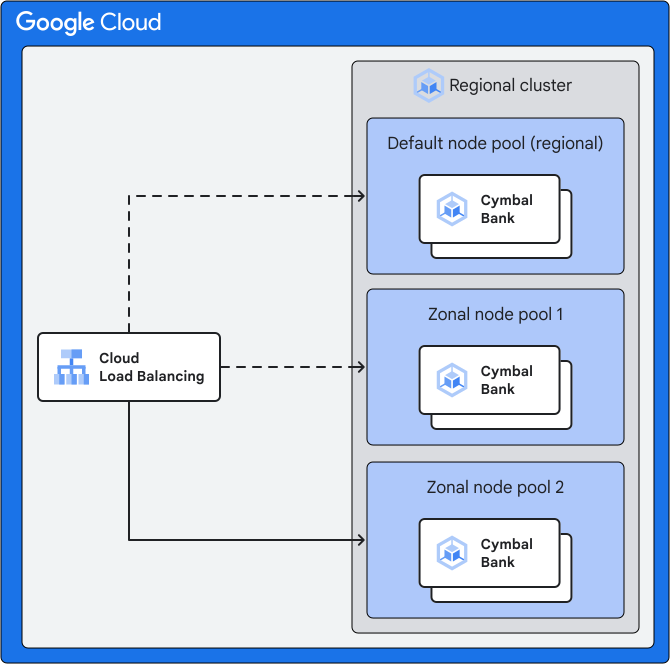
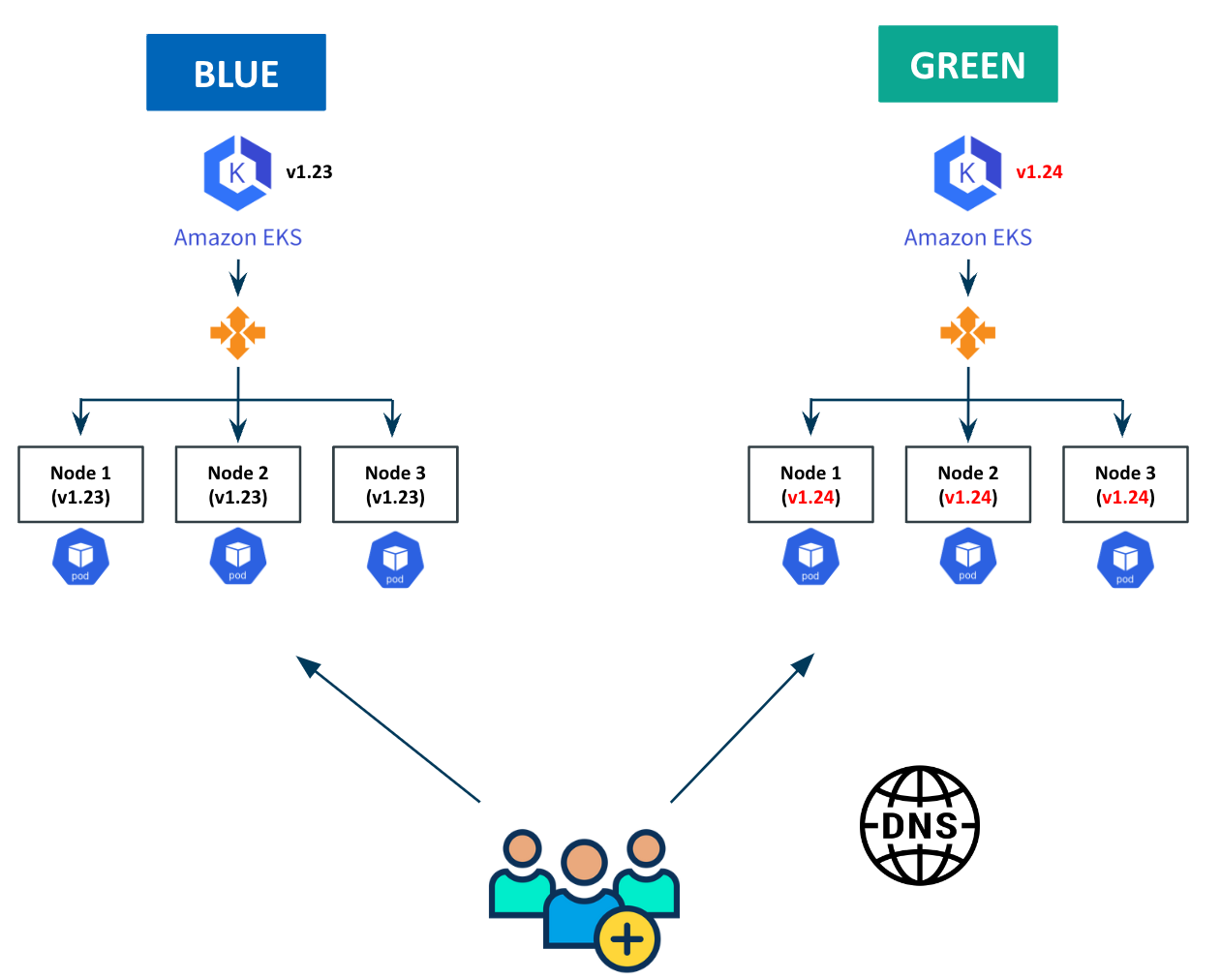
Flow overview
Users
  |
  v
GKE Load Balancer / Service
  |
  v
PostgreSQL Primary (Service)
  |
  +--> Replica (Blue)  ---> moved first
  |
  +--> Primary (Blue)  ---> moved last

Blue Node Pool  ----->  Green Node Pool
(K8s 1.34)             (K8s 1.35)
Step 0: preconditions
1. PodDisruptionBudget
We protect the database from accidental mass eviction.
apiVersion: policy/v1
kind: PodDisruptionBudget
metadata:
  name: postgres-pdb
  namespace: db
spec:
  minAvailable: 1
  selector:
    matchLabels:
      app: postgres
2. Applications must retry database connections
Failover takes seconds. Clients must retry.
Step 1: Create the Green Node Pool
We create a new node pool running the target Kubernetes version.
gcloud container node-pools create green-135 \
  --cluster prod-cluster \
  --region europe-west1 \
  --cluster-version 1.35.x-gke.y \
  --machine-type e2-standard-4 \
  --num-nodes 2
Wait until nodes are ready:
kubectl get nodes -l cloud.google.com/gke-nodepool=green-135Step 2: force PostgreSQL pods onto the green pool
Kubegres supports scheduling configuration. We apply node affinity so any restarted DB pod lands only on green nodes.
kubectl -n db patch kubegres my-postgres --type merge -p '{
  "spec": {
    "scheduler": {
      "affinity": {
        "nodeAffinity": {
          "requiredDuringSchedulingIgnoredDuringExecution": {
            "nodeSelectorTerms": [{
              "matchExpressions": [{
                "key": "cloud.google.com/gke-nodepool",
                "operator": "In",
                "values": ["green-135"]
              }]
            }]
          }
        }
      }
    }
  }
}'
That affinity rule is the safety lock that makes everything else predictable.
Step 3: Move the Replica First (No Impact)
We identify the replica:
kubectl -n db exec postgres-1 -- \
  psql -U postgres -tAc "select pg_is_in_recovery();"
Delete the replica pod:
kubectl -n db delete pod postgres-1What happens:
- Pod restarts on green node
- Disk reattaches
- Replica resyncs
- Primary remains untouched
No client impact.
Step 4: Promote the Replica (Controlled Failover)
Kubegres supports manual promotion.
kubectl -n db patch kubegres my-postgres --type merge -p '{
  "spec": {
    "failover": {
      "promotePod": "postgres-1"
    }
  }
}'
What happens:
- Replica becomes primary
- Primary Service switches automatically
- Clients reconnect (brief retry window)
This is the only moment where connections may reset, usually for a few seconds.
Step 5: Move the Old Primary
Now the old primary is just a replica.
kubectl -n db delete pod postgres-0It restarts on green, attaches its disk, and joins replication.
At this point:
- Primary → green
- Replica → green
- Blue pool no longer hosts database pods
Step 6: Upgrade the Rest of the Cluster
Now that the database is safe:
Upgrade control plane
gcloud container clusters upgrade prod-cluster \
  --region europe-west1 \
  --master \
  --cluster-version 1.35.x-gke.y
Upgrade remaining node pools (with surge)
gcloud container node-pools update default-pool \
  --cluster prod-cluster \
  --region europe-west1 \
  --max-surge-upgrade 1 \
  --max-unavailable-upgrade 0
gcloud container clusters upgrade prod-cluster \
--region europe-west1 \
--node-pool default-pool \
--cluster-version 1.35.x-gke.yStep 7: Decommission the Blue Pool
Once everything runs on green:
gcloud container node-pools delete blue-134 \
  --cluster prod-cluster \
  --region europe-west1
Rollback is trivial until this step.
Why this works
No forced evictions, databases move last, failover is controlled rather than accidental, and Services abstract away pod identity so clients never need to know which node is running which replica. Rollback stays possible right up until the blue pool is deleted. The pattern scales cleanly from stateless services down to a single stateful database.
Common failure modes this avoids
| Mistake | Result |
|---|---|
| Upgrading nodes in place | DB restart, outage |
| No PDB | Simultaneous eviction |
| Pod IP connections | Broken clients |
| No retries | User-visible downtime |
| Single Postgres pod | Unavoidable outage |
When this is not worth it
If the requirement is zero connection resets, no failover logic in the application, and minimal operational burden, a managed database like Cloud SQL or AlloyDB is the better choice. Running PostgreSQL inside Kubernetes buys flexibility, but it demands discipline: PDBs, node affinity, and applications that retry.
Zero-downtime Kubernetes upgrades are not a flag you set. They come from architectural intent: blue/green infrastructure, explicit control over scheduling, and applications built to survive a dropped connection. GKE gives good primitives. The reliability still has to be engineered on top of them.